Rules Appendix
Books
| Book | Kind | Edition | Version | Last update |
 Warhammer 40,000 Core Rules Warhammer 40,000 Core Rules | ||||
| Warhammer 40,000 Core Rules | Rulebook | 11 | June 2026 | |
Core Concepts
Armies
You 01.01.01
If a rule refers to ‘you’, it is referring to you the person, as the controlling player.Units and Models
Starting Strength and Half-Strength 01.02.01
The number of models a unit contains at the start of the first battle round is its starting strength. The starting strength of an attached unit is the number of models that unit contains at the start of the first battle round.Some rules refer to units being below starting strength, or at – or below – half-strength. The meaning of these terms varies depending on a unit’s starting strength, as shown below.
|
Persisting Rules Effects 01.02.02
Some rules apply an effect that lasts until a certain duration has passed (e.g. until the start of your next turn). Such effects are known as persisting effects.If a persisting effect applies to a unit when you place it in strategic reserves or when it embarks within a TRANSPORT, make a note of that effect and its duration; if that unit is set up on the battlefield again, any persisting effects continue to apply to that unit for their full duration.
If you have a rule that specifies when it is triggered (e.g. ‘In the Shooting phase’) and it does not specify how long it is active for, it is only active for the duration of that specified period (e.g. until the end of that Shooting phase). After that period, that effect is no longer applicable/active.
If a rule or effect is given to a unit and it does not specify how long it is active for, it is only active for the phase in which it was given.
Revived and Adding Models to a Unit 01.02.03
When a rule revives, resurrects, returns or adds models to a unit, the specified number of models are added to the unit.- If a rule revives, resurrects or returns models to a unit, it does so through destroyed models from that unit.
- This cannot expand a unit beyond its starting strength.
- Unless otherwise stated, such models are added with all wargear and enhancements they started the battle with, and with their full W remaining.
- They must be set up in coherency with models in that unit that started that phase on the battlefield.
- They can be set up engaged with one or more enemy units, but only if those enemy units were already engaged with the unit that model is being returned to.
If a leader or support model in an attached unit is destroyed and subsequently revived, they are still part of that attached unit and they must be returned to it if possible.
When a model revives, resurrects, returns or is added to an embarked unit, if that TRANSPORT has sufficient remaining transport capacity for that model, that model is returned to that unit and is embarked. Otherwise, that model is destroyed, but it does not trigger rules that apply when a model is destroyed.
Not On The Battlefield 01.02.04
A unit that is embarked within a TRANSPORT or that is in strategic reserves is not on the battlefield. The following applies to such units:- That unit is not visible to any other units (units are visible to themselves).
- Any other unit is not visible to that unit.
- Players cannot measure distances to or from that unit (units are within range of their own abilities).
This means units not on the battlefield cannot be selected or targeted by any attack or rule that requires a unit to be visible or within a certain distance (other than their own abilities).
Such units can still use their other rules, and are still units in the controlling player’s army and so can be affected by rules that require a player to select a unit from an army, as well as rules that affect all units in an army.
The controlling player must make battle-shock rolls for units that are not on the battlefield in their Command phase if they are battle-shocked, or if they are at or below half-strength.
Other Model / Unit 01.02.05
When a rule refers to models or units ‘other’ than the one with that rule (or one already mentioned by that rule), it means a different model or unit to that original one.Different instances of the same datasheet are still considered to be ‘other’ units.
Splitting Units 01.02.06
Some rules allow you to split units into smaller units (e.g. the Transport ability of Drukhari Venoms). When using such rules:- The same models can only be subdivided in this way once (e.g. those smaller units cannot themselves be split further).
- If a rule is used to split a unit into multiple units before the battle, the starting strength of each individual unit is changed to be equal to the number of models in that unit.
- A unit must be split into two units, each containing as equal a number of models as possible (when splitting a unit in this way, make a note of which models form each of the two new units). If a rule states a specific starting strength of the split units, but this is not possible based on the number of models in the unit being split (e.g. due to attached Leader/Support models), split the unit as stated above.
Errata
- A unit must be split into two units, each containing as equal a number of models as possible (when splitting a unit in this way, make a note of which models form each of the two new units). If a rule states a specific starting strength of the split units, but this is not possible based on the number of models in the unit being split (e.g. due to attached Leader/Support models), split the unit as stated above.
Describing Units 01.02.07
When a rule mentions a unit, it may have a descriptor for the unit (e.g. TERMINATOR unit, hidden unit, battle-shocked unit, visible unit, controlling unit). For such descriptors to apply to a unit, that unit must have at least one model in that unit that meets that descriptor.This does not give that rule to every model in the unit, unless that rule specifically states that it gives that rule to the unit, in which case every model in that unit gains that rule, as described in Units and Models (01.02).
A (Unit/Model/Object) 01.02.08
Some rules may refer to ‘a’ unit/model/object without specifying an exact number. In such cases, the meaning is ’one or more’, rather than exactly one.Tokens 01.02.09
Tokens are gaming aids that some rules instruct you to place next to model/unit to remind you and your opponent that a model/unit either has a limited-use ability or is under the effects of a particular rule. Tokens are not counted as models for any purposes (even if they are being represented by a model). If another model needs to move into the space occupied by a token, reposition the token to allow that move to be made.Adding a new unit to your army 01.02.10
Some rules add a new unit to your army during a battle. That unit’s starting strength is determined when it is added to your army, but is otherwise determined in the same way as for other units.All Types of Model 01.02.11
When a rule mentions ‘all types of model’, this is inclusive of friendly and enemy models and all keywords, e.g. MONSTER/VEHICLE models.Replacing One Model with Another 01.02.12
When a rule tells you to place one model where another model was, or to replace one model with another:- Mark the point on the battlefield beneath the centre of the base of the model to be replaced (or its central axis, for a unit with FRAME).
- Place the other model so that the centre of its base (or its central axis, for a unit with FRAME) is directly over that point.
Active Player and Opposing Player
Player’s Rules 01.03.01
During the game, players will sometimes need to know which rules are theirs, as opposed to their opponent’s. The following are considered a player’s rules:- Any army rules they have.
- Any detachments in their army.
- Any stratagems they use.
- Any enhancements that units or models in their army have.
- Any abilities or rules found on their units’ datasheets.
- Rules that have restrictions (e.g. ‘Once per battle/turn/phase’) only apply to the player whose rule it is.
Some missions may introduce additional rules that take effect in the battle. Where this is the case:
- If the rule is used by a player, it is treated as one of that player’s rules.
- If it is not used by a player, and always takes effect, such a rule is resolved before any of the active player’s rules, in an order of their choosing.
Rules Sequencing 01.03.02
At any point in the game, the players will have rules that they can or must use, which may occur at the same time another player can or must use a rule. Unless otherwise stated, these are activated in the following order:- All of the active player’s rules that must be used, in an order of their choosing.
- All of the active player’s rules that they can optionally use and wish to use, in an order of their choosing.
- All of the opposing player’s rules that must be used, in an order of their choosing.
- All of the opposing player’s rules that they can optionally use and wish to use, in an order of their choosing.
If another rule could be used after a rule has resolved during this sequence but before other rules in that same timing have resolved, those new rules do not trigger until all the remaining rules to be resolved in that same timing have been resolved.
Measuring Distances
Within / Wholly Within 01.04.01
Rules in Warhammer 40,000 will often apply to models or units that are within or wholly within a certain distance. The following definitions explain what these terms mean:- Within: If a rule says it applies ‘within’ a specified distance, it applies at any distance that is not more than that distance. For example, within 1" means any distance that is not more than 1" away
- Model/Unit Within: A model is within a specified distance if any part of its base is within that distance. A unit is within a specified distance if one or more of its models are within that distance.
- Model/Unit Wholly Within: A model is wholly within a specified distance if every part of its base is within that distance. A unit is wholly within if every model in that unit is wholly within the specified distance. A model with the FRAME keyword is wholly within a specified distance if all parts of that model are within the specified distance.
Example: A model is wholly within a terrain area if no part of its base extends beyond the footprint of that terrain area. A unit is wholly within a specified distance if every model in that unit is wholly within that distance.
Closest Or Nearest Model/Unit 01.04.02
When a rule refers to the closest or nearest model or unit, this is the closest model or unit to the model or unit using that rule.If two or more are equally close, the controlling player of the model or unit using that rule selects which is the closest for the purposes of that rule.
As Close As Possible 01.04.03
- If a rule instructs you to move a model as close as possible to a unit or model you must end that model’s move in base contact with that unit or model if its move is sufficient to do so without breaking any other restrictions (such as coherency), or as close as you can achieve if its move is not sufficient.
- If a model is already as close as possible to a unit or model when it is instructed to make a move as close as possible towards a unit or model, that model cannot be moved, but still counts as having made the move in question.
- If a rule instructs you to move a model as close as possible to an objective you must end that model’s move within range of an objective if its move is sufficient to do so without breaking any other restrictions (such as coherency), or as close as you can achieve if its move is not sufficient.
- If that model is already within range of an objective it can move up to the maximum distance of that move but must end its move still within range of that objective.
Base Contact or Base to Base Contact 01.04.04
When two models’ bases are touching, they are in base contact – also known as base-to-base contact – and are as close as possible (01.04.03).When moving a model from your army into base contact with an enemy model during a move, if that enemy model overhangs its base such that it is not physically possible to be in base contact with that model, until the end of the turn, those models are considered to be in base contact with each other while all of the following are true:
- The distance your model could move was sufficient to move it into base contact with the enemy model if there was no overhang.
- The models are as close as possible together.
- Any part of one model is within 1" of any part of the other model.
Table Quarters 01.04.05
When a rule refers to a table quarter, or table quarters, divide the battlefield with imaginary lines 1mm thick drawn lengthwise and widthwise through the centre of the battlefield to create four equal rectangles. These rectangles are the table quarters.Drawing a Line 01.04.06
When a rule tells you to draw a line, unless otherwise stated:- That line has no thickness.
- That line must be straight.
Dice
Automatically Successful/Passes/Hits/Wounds 01.05.01
When a dice roll or test is automatically successful or automatically passes/hits/wounds, do not roll the dice and instead move to the next step of the sequence for that roll as if the required result had been rolled. Any rules that take effect on a particular dice result or roll result do not take effect.Re-rolls 01.05.02
Some rules allow you to re-roll a dice roll, which means you get to roll some or all of the dice again. When a rule lets you re-roll one or more dice, the following points apply:- If a rule allows you to re-roll a dice roll that was made by adding several dice together (e.g. 2D6, 3D6, etc.) then you must re-roll all of those dice again.
- You can never re-roll a dice more than once, and re-rolls happen before modifiers (if any) are applied.
- A re-rolled dice is still considered to be a dice roll and, as such, any rules that can be triggered by a dice roll can also be triggered by a re-rolled dice.
Modifying Dice Rolls 01.05.03
See Modifiers (02.02.01).Ignoring Roll Modifiers 01.05.04
See Ignore Modifiers (02.02.02)Roll Off 01.05.05
Some rules instruct players to roll off.- To do so, both players roll one D6, and whoever rolls highest wins the roll-off.
- If there is a tie for the highest roll, roll off again.
Doubles Or Triples 01.05.06
When making a dice roll, a double is a roll that includes any two dice of the same result, and a triple is a roll that includes any three dice of the same result.Highest or Lowest Dice Result 01.05.07
If a rule refers to the highest dice result and a dice roll involves multiple dice, if more than one of those dice have the same value, and that value is the highest, the active player must select one of those dice to be the highest dice result.If a rule refers to the lowest dice result and a dice roll involves multiple dice, if more than one of those dice have the same value, and that value is the lowest, the active player must select one of those dice to be the lowest dice result.
Treated As, Set To (Dice Roll) 01.05.08
When a dice result is ‘treated as’ or ‘set’ to another value, any rules that would take effect if that value had been rolled take effect.This may result in a value that is greater than a value that could be rolled on a D6 dice.
Battle-shock Rolls
Battlefield Morale 01.07.01
The morale and organisation of troops can waver and break during battle. This is checked using battle-shock rolls, most commonly in the Command phase. Failing such a roll represents the unit’s courage faltering due to taking casualties or through other disruption, reducing its battlefield effectiveness. Similarly, some rules will require you to check a unit’s readiness by making a leadership roll.Battle-shock Test 01.07.02
The term Battle-shock test is the same as battle-shock roll.Datasheets
1. Datasheet Name
Datasheet Name and Keywords 02.01.01
As well as the keywords listed in each datasheet’s Keywords section, each datasheet name acts as an additional keyword for that unit.2. Profiles
Modifiers 02.02.01
What are Modifiers?
Many rules in the game modify a value, characteristic or roll elsewhere in the game. A rule that does so is known as a modifier. A value that has been changed is a modified rule (e.g. modified characteristic, modified roll, modified value, etc).One of the most common ways for modifiers to be presented is as +1 or -1 to a characteristic, roll or value.
If the rule has +1 to a characteristic, it improves it by the value after the ‘+’ symbol.
If the rule has -1 to a characteristic, it worsens it by the value after the ‘-’ symbol.
Applying Modifiers
This section presents the various ways rules may be modified. All modifiers are cumulative.When a value is modified (e.g. characteristic, dice roll, distance), do so in the following order.
- If a rule instructs you to change or replace one value with a specified value, you must first change the relevant value to the new value.
Note that rules that modify a characteristic in this step to a new value of ‘0’, ‘-’ or ‘*’ cannot be modified by other rules (in such cases, skip steps 2-5). - Apply multiplication modifiers.
- Apply addition modifiers.
- Apply division modifiers.
- Apply subtraction modifiers.
- Round any fractions up after applying all modifiers.
When Modifying Characteristics
When modifying characteristics, unless otherwise stated, the following points also apply:- Characteristics of ‘-’, ‘*’ and ‘N/A’ can never be modified.
- Rules that modify a model’s WS and/or BS characteristic modify the WS and/or BS characteristic of every weapon equipped by that model.
- After all modifiers have been applied:
- M cannot be less than 1"".
- T cannot be less than 1.
- Sv cannot be 1+ or better.
- InSv cannot be 1+ or better.
- Ld cannot be 4+ (or better) or 9+ (or worse).
- OC cannot be less than 0 or ‘-’.
- Range characteristics cannot be less than 1".
- A cannot be less than 1.
- WS cannot be 1+ (or better) or 7+ (or worse).
- BS cannot be 1+ (or better) or 7+ (or worse).
- S cannot be less than 1.
- AP cannot be worse than 0.
- D cannot be less than 1.
- Improving WS, BS, Sv and Ld: When improving a WS, BS, Sv or Ld characteristic, subtract the appropriate amount from the number before the plus sign, e.g. improving a WS of 3+ by 1 would result in a WS of 2+.
- Worsening WS, BS, Sv and Ld: When worsening a WS, BS, Sv or Ld characteristic, add the appropriate amount to the number before the plus sign, e.g. worsening a WS of 3+ by 1 would result in a WS of 4+.
- Improving AP: When improving an Armour Penetration characteristic, subtract the appropriate amount from the characteristic, e.g. improving an AP of -1 by 1 would result in an AP of -2; improving an AP of 0 by 1 would result in an AP of -1.
- Reducing or Worsening AP: When reducing or worsening an Armour Penetration characteristic, add the appropriate amount to the characteristic, to a maximum of 0, e.g. reducing/worsening an AP of -1 by 1 would result in an AP of 0; reducing/worsening an AP of 0 by 1 would result in an AP of 0.
- Improving or Worsening Other Characteristics: When instructed to improve/worsen a characteristic that does not include a ‘+’ or ‘-’ symbol, add/subtract the specified amount to/from that characteristic (e.g. to improve a S by 1, add 1 to it).
When Modifying Dice Rolls
When modifying dice rolls, the following points also apply:- Modifiers are applied after any re-rolls of that dice roll.
- Rules that refer to the value of an ‘unmodified’ dice roll are referring to the dice result after any re-rolls, but before modifiers.
- A dice result can be modified above its maximum possible value (for example, a D6 roll can be modified above 6).
- A result that would be less than 1 is changed to a result of 1.
- Hit rolls and wound rolls can never be modified by more than -1 or +1. After all the cumulative modifiers to such a roll have been calculated, if the total modifier would be:
- -2 or worse, it is changed to -1.
- +2 or better, it is changed to +1.
- Charge rolls cannot be greater than 12. After all the cumulative modifiers to a charge roll have been calculated, if the result would be 13 or more, it is changed to 12.
Other Modified Rules
The following rules apply to various rules and effects found throughout the game.- Detection range and Lone Operative cannot be better than 9" or worse than 30".
A stratagem cannot have its CP increased by more than 1 or reduced to below 0 after all modifiers have been applied.
Ignore Modifiers 02.02.02
Some rules enable a player, weapon, model or unit to ignore modifiers. When using such rules, the following points apply:Unless otherwise stated, that rule allows you to ignore modifiers to the unit’s rolls and the unit’s profile and weapon characteristics.
When a rule states you can ignore modifiers to a stated roll or characteristic, you can choose to ignore all of those modifiers, or only some of them. For example, you can still choose to apply positive/beneficial modifiers while ignoring negative/detrimental modifiers.
Random Characteristics 02.02.03
Random Movement: When a unit with a random M characteristic is selected to move, determine the entire unit’s move distance by rolling the indicated number of dice.Random Attacks: If a weapon has a random A characteristic, that characteristic is determined when generating attacks for that weapon at the Resolve Attacks step (04.03). If several weapons with random A characteristics are making identical attacks, generate the attacks for each of those weapons individually, and group them all together.
Random Damage: If a weapon has a random D characteristic, then each time an attack made with it inflicts damage, the controlling player determines that weapon’s characteristic when the opposing player has selected a model in the target unit to allocate that attack to.
When determining a random D characteristic, the dice roll made is called a damage roll.
Where a D characteristic includes an operator (e.g. a ‘+’, as in D6+1), the value after the operator is part of that D characteristic – it is not a modifier.
Other Random Characteristics: For all other characteristics, roll to determine the value on an individual, per-model or per-weapon basis each time that characteristic is required.
Healing Or Regaining Lost Wounds 02.02.04
When a unit heals or regains a number of wounds, it regains up to that number of lost wounds. For each wound healed or regained, consult the following:- If that unit has one or more models that does not have its full wounds remaining, select one of those models; that model regains one lost wound.
- If all models in that unit have their starting number of wounds, but one or more models from that unit are currently destroyed, revive one of those destroyed models (excluding CHARACTER models), with one wound remaining.
If a rule states that a model heals or regains a number of wounds, only that model can regain wounds up to its starting number of wounds. Any excess regained wounds are lost and do not cause a destroyed model from that unit to revive.
Full Wounds Remaining 02.02.05
A model has its full wounds remaining if it has the same number of wounds remaining as its W characteristic.Characteristic Modifiers & Modified Characteristics 02.02.06
See Modifiers (02.02.01).3. Abilities
Rules With Multiple Conditions And Effects 02.03.01
Some rules have multiple conditions, with the second, more specific condition conferring an improved rule, either instead of the first condition’s rule or as well as it. Such rules require both the first condition and the second condition to be satisfied for the improved rule to apply.For example, an ability reads: ‘This unit’s ranged attacks that target the closest eligible target can:
- Re-roll hit rolls of 1.
- Or:If that target is within range of an objective your opponent controls, re-roll hit rolls.’
4. Weapons
Weapons With No Strength 02.04.01
If a weapon has no S characteristic (because it is ’-’, or for any other reason) and a rule interacts with that weapon’s S, that weapon has S 1 for that interaction.5. Keywords
Using Keywords & Mixed Keywords in Units 02.05.01
When using keywords, the following points apply:- A unit has all the keywords of all models in that unit. A model only has its own keywords.
- If a rule specifies that it applies to a unit with a keyword, it applies to a unit which includes one or more models with that keyword.
- If a rule specifies that it applies to a model with a keyword, it only applies to a model with that keyword.
- If a rule specifies that it applies to ‘non-KEYWORD’ models/units, it only applies to models/units that do not have that keyword. For example, if a rule applies to non-VEHICLE units, it only applies to units that do not have the VEHICLE keyword.
- Some units can contain models that have different keywords. While this is the case, such a unit is considered to have all of the keywords of all of its models, and so is affected by any rule that applies to units with any of those keywords. Remember that attacks are made against units, not models.
- If a rule only applies to models with a specific keyword, then it instead only applies to models in such a unit that have the correct keyword.
- A rule with a comma-separated list of keywords, or a series of keywords separated by slashes (‘/’), or two keywords separated by the word ‘or’ (e.g. ‘an IMMORTALS, DEATHMARKS or LYCHGUARD unit’) refers to a model/unit that has any one of those keywords.
- A rule with multiple adjacent keywords (e.g. ‘an AELDARI GUARDIANS unit’) only refers to a model/unit that has all of those keywords.
- Some older rules use keywords without specifying model or unit: for example, MONSTER/VEHICLE or TRANSPORT. These rules refer to units with those keywords.
- Singular and plural instances of the same keyword function in the same way.
6. Unit Composition and Other Rules
Bearer 02.06.01
The bearer of a weapon, enhancement or item of wargear is the model equipped with it.Unit's Equipment 02.06.02
When a rule refers to a unit’s equipment, it refers to all of the wargear equipped by models in that unit.Moving
Moving Units
Different Move Characteristics 03.01.01
When making a move type whose maximum distance uses the unit’s M characteristic, if different models in the moving unit have different M characteristics, the maximum distance for that move will be different for those models.Example: If a unit makes a normal move and all models in that unit have an M characteristic of 6" except for one model with an M characteristic of 9", that model’s maximum distance for that move is 9", while the other models’ maximum distance is 6". While that unit is making that move, all other restrictions must be met.
Moving Over Or Through Models 03.01.02
Some models have a rule that enables them to ‘move over models’, ‘move through models’ or ‘move over models as if they were not there’ when making a move. When moving a model with such a rule, it can make its move through enemy models, but must follow all other restrictions of the move they are making.Random Movement 03.01.03
See Random Characteristics (02.02.03)When Moving Up To 03.01.04
Some rules allow a unit to make a stated <move type> of up to X". That stated distance is the maximum distance for that move.Set Up
If You Cannot Set Up a Unit 03.02.01
While having to set up a unit as the result of a move type, if you have to return a unit’s models to their previous positions because it is not possible to set them all up, that unit has not been selected to move. This means it can be selected to move later, so could either attempt another set up or remain stationary (09.04).Setting Up Large Models 03.02.02
If a model cannot meet all of its set up restrictions because it is too large, consult the relevant section below:During Deployment: If a model is so large that its base cannot physically be set up wholly within your deployment zone, it must be set up so that it is touching your battlefield edge. During a turn in which such a large model is set up on the battlefield, that model’s unit cannot do any of the following:
- Make a normal/advance/fall-back/charge move.
- Make any attacks with ranged weapons.
From Strategic Reserves: If a model is so large that its base cannot physically be set up wholly within the distance required of the battlefield edge, it must be set up so that it is touching a battlefield edge. During a turn in which such a large model is set up on the battlefield (excluding AIRCRAFT models), that model’s unit cannot do any of the following:
- normal/advance/fall-back/charge move.
- Make any attacks with ranged weapons.
Disembarking from a Transport: When a unit disembarks from a TRANSPORT, it must be set up wholly within 3" of that model. If a disembarking model is so large that it is not possible to set it up wholly within 3" (typically because it is itself larger than 3" in all directions), set that model up with its base within 1" of that TRANSPORT’s base (or hull), and not engaged with any enemy units.
Engagement
What Is Engagement 03.04.01
While opposing models are within each other’s engagement range, they are able to fight in vicious melee, so unless they are seeking to make melee attacks, models should keep out of their foes’ reach.Making Attacks
1. Select Weapons
Models Without Ranged/Melee Weapons 04.01.01
A model that does not have any ranged weapons cannot make ranged attacks, and a model that does not have any melee weapons cannot make melee attacks.Sidearms 04.01.02
Some models are equipped with [CLOSE-QUARTERS] weapons in addition to other firearms. Such models can be an exception to the rules in this section, as you may not be able to select all of their weapons to make attacks with.Multiple Weapon Profiles 04.01.03
In the Select Weapons step (04.01), if a selected weapon has more than one profile, then the controlling player must also select one of those profiles. The selected profile is then used in the Resolve Attacks step (04.03).Some of these profiles are known as Hunter profiles. Hunter profiles can only target units with the specified keywords.
Note that if a unit is equipped with more than one such weapon, a different profile can be selected for each model within that unit.
Attack Characteristics and Abilities 04.01.04
When making an attack, that attack is considered to have the same characteristics and abilities as the weapon making that attack.If any modifiers or abilities apply to an attack, those changes apply to the weapon making that attack until that unit’s attack sequence and all effects of those abilities (e.g. [Hazardous]) have been resolved.
Rules that apply to a weapon that modify rolls apply to the attacks made with that weapon.
Selected to Attack 04.01.05
Some rules use the term selected to attack. If a unit is selected to fight, selected to shoot or chosen to make attacks, that unit is selected to attack.2. Select Targets
Selecting Targets 04.02.01
When shooting or fighting, you can select different targets for each weapon. If you cannot select a target for a weapon, or if you choose not to select a target for a ranged weapon, the model with that weapon will not make attacks with it.Against An Attack 04.02.02
Rules that are triggered ‘against’ certain attacks are triggered after the attacking unit has completed the Select Targets step (04.02), provided all other qualifiers are met (e.g. concerning the characteristics of the attacking unit or its weapons).Rules that are triggered when an attack is ‘allocated’ to a unit are triggered in step 1 of the Inflict Damage step (05.04).
Single Target 04.02.03
When a model or unit attacks with one or more weapons, if all of the attacks made with those weapons target the same unit, that model or unit is said to be shooting at, fighting or targeting a single target.3. Resolve Attacks
Identical Attacks 04.03.01
Identical attacks are those that have the same BS/WS, S, AP and D characteristics, and which are affected by the same applicable abilities and rules.Splitting Melee Attacks 04.03.02
While selecting targets, if you select more than one unit as the target of a melee weapon, you must split that weapon’s attacks between those target units. To do so, declare how many of that weapon’s attacks will be made against each unit (you must declare at least one attack per unit targeted).In the Gather Attack Dice step, for each weapon that is splitting its attacks, only gather a number of attack dice for that weapon equal to the number of attacks you declared would be made against that target with that weapon.
Target No Longer Eligible Or Viable 04.03.03
If a unit that was an eligible target for a rule or attack when it was selected stops being an eligible target (for example, because a rule enables it to make an out-of-phase move that takes it out of range), the controlling player can select new targets.Shot 04.03.04
When all of the attacks made with a ranged weapon have been resolved, that weapon has shot.When all of a model’s ranged weapons have shot, that model has shot.
When all models in a unit that are making ranged attacks have resolved all of those attacks, that unit has shot.
If a unit was selected to shoot and none of the models in it make any attacks, it has not shot.
Fought 04.03.05
When all of the attacks made with a melee weapon have been resolved, that weapon has fought.When all of a model’s selected melee weapons have fought, that model has fought.
When all models in a unit that are making melee attacks have resolved all of those attacks, that unit has fought.
If a unit was selected to fight and none of the models in it make any attacks, it has not fought.
Finished Making Its Attacks 04.03.06
When all of an attacking unit’s attacks have been resolved, it has finished making its attacks, and that unit has attacked.Attack Sequence
2. Wound Rolls
Multiple Toughness Characteristics 05.02.01
When resolving attacks that target a unit in which the models have two or more different T characteristics, follow the first instruction that applies from below:- If the target unit is an attached unit, use the highest T characteristic amongst bodyguard models in that unit that are on the battlefield.
- Use the highest T characteristic amongst models in that unit that are on the battlefield.
4. Inflict Damage
Current Allocation Group 05.04.01
The first group in the allocation order begins as the current group. Once all models in an allocation group are destroyed, the next group in the allocation order becomes the current one.Modifying Damage 05.04.02
See Modifiers (02.02.01).Destroyed 05.04.04
Throughout a battle, models will suffer damage, lose wounds and be destroyed. When every model in a unit has been destroyed, that unit is destroyed.When a model is destroyed, first resolve any rules that are triggered when it is destroyed, then it is removed from the battlefield. If any such rules apply, and if the model was destroyed as the result of an attack, unless otherwise stated, those rules are only resolved and that model is only removed after the attacking unit’s attacks have been resolved. Unless otherwise stated, destroyed models and units cannot use abilities or be selected or targeted by rules.
Some rules only trigger if an enemy model or unit was destroyed by you, or by a model or unit from your army. This means that the enemy model or unit was destroyed by an attack made by a model from your army, or by a player rule you have. Enemy models or units that are destroyed by any other means are not destroyed by you, or by a model or unit from your army.
Fight On Death 05.04.05
Some rules enable models to attack after they have been destroyed. When a model under such an effect is destroyed, do not remove it from play.Those models will stay on the battlefield until their unit is selected to attack and has attacked, or until the end of the phase (whichever comes first). Any rules triggered by those models being destroyed are resolved, and then those destroyed models are removed.
If a rule instructs a destroyed model to fight immediately after the attacking unit, instead that model is not removed from the battlefield until that model’s unit has fought, or until the end of the phase (whichever comes first). This allows the models in the unit to fight all at once, and stratagems that target that unit will also affect that destroyed model.
Measuring To A Destroyed Model Or Unit 05.04.06
When a player has to measure the distance to a destroyed model, that player can measure to any point occupied by that model’s base (or any part of that model if it does not have a base or is a VEHICLE, excluding WALKER models that have a base) before it was destroyed.When a player has to measure the distance to a destroyed unit, they measure to the last model destroyed in that unit.
Other Concepts
Visibility
Describing Visible Units 06.01.01
When a rule references a visible unit but does not state which units that unit must be visible to, it must be visible to the unit that is using that rule.Mortal Wounds
Normal Damage 06.02.01
Normal Damage is damage that was inflicted on a model as a result of a weapon’s D characteristic, rather than by other means such as mortal wounds. Mortal wounds dealt in addition to normal damage from an attack are part of that same attack.Hazard Rolls
Hazardous Test 06.03.01
The term ‘Hazardous test’ is the same as hazard roll.The Battle Round
2. Player Turns
Out Of Phase Rules 07.02.01
Some rules allow a model or unit to make a move, shoot, declare a charge or fight outside of the normal turn sequence.When using these out-of-phase rules, you cannot use any other ‘phase-locked’ rules; that is, any other rule that explicitly states the phase in which that rule applies.
Battle Round/Turn/Phase Definitions 07.02.02
- Start of Battle Round/Turn/Phase: If a rule is triggered at the start of the battle round/turn/phase, it is triggered at the start of every battle round/turn/phase.
- The Turn/the Phase: If a rule is triggered during the turn/phase instead of during your turn/phase or your opponent’s turn/phase, it is triggered in both players’ turn/phase.
Command Phase
2. Gain Core CP
Command Points 08.02.01
Command Points are a valuable resource you can spend to use stratagems (15). The Gain Core CP step ensures that both players gain 1CP each turn. While these are termed Core CP here, they are Command Points like any other. Other rules sometimes mention ‘Core CP’ when referring to these Command Points.3. Battle-shock
Multiple Battle-shock Rolls 08.03.01
In the Battle-shock step (08.03), unless otherwise stated, no more than one battle-shock roll can be made by each unit. If for any reason a unit must make a battle-shock roll in this step before one it is required to make for being battle-shocked or at or below half-strength, that unit does not also have to make the battle-shock roll for being battle-shocked or at or below half-strength.Movement Phase
2. Move Units
Selecting Units To Move 09.02.01
When the Move Units step ends, the active player must have selected all of their units to make a move with, including those in strategic reserves. This means that before the phase ends, every unit in their army will have been selected to make a move, even if it is to remain stationary (09.04). Any units the active player does not select a move type for during this step will remain stationary.Selecting Modes 09.02.02
Some rules instruct you to select a mode, such as fall-back moves (09.07). Modes are mutually exclusive, and you must assess each one in the order presented. When making a move, if your unit does not meet the conditions of any of the modes, it cannot make that move.Sometimes a mode will be mandatory if applicable (e.g. consolidation modes, 12.08), but in the case of fall-back moves, ordered retreat is not mandatory, so you could select desperate escape instead.
Many move types state conditions you must meet while/after moving. Those that are labelled with a mode name only apply if you selected that mode; those not labelled with a mode name always apply.
Reinforcements Step 09.02.03
Rules that say they happen during the Reinforcements step happen during the Move Units step.More Than One Normal Move in a Phase 09.05.01
A unit cannot make more than one Normal Move in a phase.Charge Phase
2. Charge
Failed Charges 11.02.01
Note that in the absence of modifiers to the charge roll, a result of 2 (a double 1) is never sufficient for a unit to complete a charge move, as a unit cannot be within engagement range (2") when it attempts a charge. Such a roll would therefore result in a failed charge, and the unit would not move.Fight Phase
3. Fight
Eligible to fight, but unable to fight 12.04.01
During the Fight sequence, when the sequence returns to a player to select a unit to fight, if all of that player’s units that are eligible to fight are more than 5" from all enemy units, that player can instead choose to pass and return the sequence to their opponent to select a unit. If both players pass in succession, or if one player passes when their opponent has no remaining units that are eligible to fight, the Fight step ends.Designer’s Note: Occasionally, all of a unit’s targets will be destroyed before they have had a chance to fight, with no other targets close enough to engage with a pile-in move. In such cases, a player can choose to pass and wait to see if another enemy unit ends a pile-in move close enough to be attacked later in the phase.
Terrain
Terrain Categories
Creating Your Own Battlefield 13.02.01
Don’t worry if your battlefield doesn’t match a mission’s terrain category requirements; just do the best with the terrain features you have. If a mission does not provide you with guidance, it will be up to the players to decide how to create their battlefield. When doing so, keep in mind that dense terrain features have the greatest impact on visibility and movement. Battlefields with too few dense terrain features can advantage armies that rely on shooting, or disadvantage armies that rely on melee. Also remember to leave sufficient room around dense terrain features for larger models such as MONSTERS/VEHICLES to manoeuvre, especially near the edges of the battlefield.Terrain and Movement
Solid Terrain and Movement 13.06.01
If a terrain feature has the Solid rule (13.11), as dense terrain features do, a model cannot end a move such that any part of it is through any enclosed part of that terrain feature that is 3" or less from ground level – not even through small openings such as doors and windows. This ensures that protruding elements of models cannot be used to circumvent the visibility restrictions of the Solid rule.Hidden
Hidden and the First Turn 13.09.01
During the first turn, conditions that require something not to have happened during the previous turn are true. For the Hidden rule, this means that during the first turn a unit has not made ranged attacks during the previous turn.Solid
Gone to Ground 13.11.01
Hidden models that are concealed by dense terrain features gain an extra benefit while they have gone to ground.A model has gone to ground while all of the following apply:
- That model is hidden.
- That model is not fully visible to the attacking model due to one or more intervening dense terrain features.
- That model’s unit did not make one or more ranged attacks during this turn or during the previous turn.
While a model has gone to ground, subtract 3" from that model’s detection range.
Designer’s Note: Units that made ranged attacks in the current or previous turn cannot go to ground, regardless of any abilities that allow them to shoot and remain hidden.
Objectives
Terrain Objectives
Objectives Not Within A Terrain Area 14.01.01
If the location point of an objective does not coincide with a terrain area, you must denote the location of that objective with a flat, circular marker, 40mm in diameter, centred on that point – this is called an objective marker. Models can move through objective markers and they can end a move on top of objective markers.A model is within range of an objective marker while it is within 3" horizontally and 5" vertically of that objective marker. When measuring distances to and from an objective marker, measure to and from the closest part of it.
Controlling an Objective at the End of a Phase 14.02.01
At the end of each phase and turn, the first thing players do (before any other ’at the end of the phase/end of the turn’ rules or abilities) is determine which objectives are controlled by which player.Stratagems
Using Stratagems
Modifying CP Cost 15.01.01
Some rules modify the cost of using certain stratagems. In such cases, the following points apply:- The CP cost of a stratagem use can never be modified below 0CP.
- If a rule modifies the CP cost of a stratagem when you use it, but does not specify a duration for that modifier, that modifier only applies to that usage of that stratagem.
Affected By A Stratagem 15.01.02
If a unit is selected as the target of a stratagem, it is said to be affected by that stratagem.Stratagem Definitions 15.01.03
- Your Opponent’s Stratagems: stratagems that your opponent uses are sometimes referred to as your opponent’s stratagems.
- Your Stratagems: stratagems that you use are sometimes referred to as your stratagems.
- Your Unit (in Stratagems): The term ‘your unit(s)’ in the Effect section of stratagems always relates to the unit(s) selected in the Target section of that stratagem, and never refers to any other units from your army.
Monsters and Vehicles
Shooting at Engaged Monsters and Vehicles
Shooting While Engaged With Monsters/Vehicles 17.03.01
A unit that is engaged with an enemy MONSTER/VEHICLE unit is still not eligible to shoot, and so cannot make ranged attacks against that MONSTER/VEHICLE unit, unless that unit is eligible to shoot while engaged (e.g. because it is using close-quarters shooting).Transports
Embarking
Able To Embark 18.02.01
A unit is able to embark if it meets all of the conditions in Embarking (18.02). Note that one or more of these conditions may be modified by other rules, in which case a unit must satisfy those modified conditions in addition to any unmodified conditions to be able to embark.Rapid Disembark And Limitations 18.04.01
When a unit uses the rapid disembark mode after its TRANSPORT makes an ingress move, the models must follow the same rules and restrictions as that TRANSPORT did. For example, if that TRANSPORT had to be set up more than 8" from all enemy units and not within your opponent’s deployment zone, the same applies to the disembarking unit.Attached Units
Forming Attached Units
Attached Units After Their Bodyguard Unit is Destroyed 19.01.01
Some units have rules stating that when the <bodyguard unit in an attached unit is destroyed, leader/support units that were attached to them become separate units with their original starting strengths.When the bodyguard unit in an attached unit affected by such a rule is destroyed, all of those leader/support units remain a single unit for all rules purposes.
Abilities in Attached Units
Only In Death Does Duty End 19.04.01
Leader and support units often have abilities that make the models they are leading more powerful. In the same way, some bodyguard units’ abilities can enhance the power of those leading them. Abilities in Attached Units (19.04) means that once the models conferring such effects are destroyed, that attached unit does not continue to benefit from them. Should those models later be revived, however, those abilities will once more apply to their attached unit.Strategic Reserves
Placing Units in Strategic Reserves
Reserves 20.01.01
The term ‘Reserves’ is the same as strategic reserves.Strategic Reserves at the End of the Battle 20.01.02
At the end of the final turn, units in strategic reserves are destroyed, but they do not trigger rules that apply when a model is destroyed.Arriving from Strategic Reserves
Set Up As Reinforcements 20.03.01
If a rule mentions a unit being set up on the battlefield as Reinforcements, it means a unit that made an ingress move.Core Abilities
Abilities
Psychic Abilities with a Psychic Level 22.03.01
When using psychic abilities with a psychic level, a PSYKER unit cannot use the same psychic ability more than once per phase.With The 'X' Ability 24.01.01
Some rules affect or require you to select a model or unit with a particular ability. When resolving such rules, any numbers following the ability are irrelevant when determining if such rules apply.Example: If a rule instructs you to select a model from your army with the Deadly Demise ability, you could select a model with the Deadly Demise 1, Deadly Demise D3 or Deadly Demise D6 ability.
[EXTRA ATTACKS]
Only [EXTRA ATTACKS] weapons 24.11.01
If a unit has [Extra Attacks] weapons, it does not need to select weapons without the [EXTRA ATTACKS] ability in order to make attacks with those [EXTRA ATTACKS] weapons.Lone Operative
Attached units and Lone Operative 24.24.01
If all models in an attached unit have Lone Operative, that unit will benefit from Lone Operative.If a unit has Lone Operative, but models in that unit have different range values for Lone Operative, the highest value amongst that unit’s models on the battlefield is applied to the whole unit.
If an attached unit below starting strength only contains models with Lone Operative, Lone Operative becomes active again.
Example: A CHARACTER with Lone Operative is attached to a bodyguard unit that has Lone Operative 15". Lone Operative 15" is therefore used for the whole unit.
[ONE SHOT]
Multiple [ONE SHOT] Weapons 24.26.01
If a model is equipped with more than one of the same weapon with the [ONE SHOT] ability (e.g. 2 hunter-killer missiles), that model can shoot with each of those weapons once per battle.Precision and Devastating Wounds 24.28.01
Mortal Wounds inflicted by a [PRECISION] attack with the [DEVASTATING WOUNDS] ability are first applied to the CHARACTER group that was selected for those [PRECISION] attacks (if that group is not already destroyed).[TORRENT] 24.37.01
[TORRENT] weapons cannot have [INDIRECT FIRE] or [PRECISION].Universal Rules Updates
This document presents rules updates with a broader scope than the individual Faction Packs, designed to improve the way certain core mechanics or Codex rules function across all factions.
Modifying a Stratagem’s CP Cost
Rules that enable you to target a friendly unit with a stratagem for 0CP, but that do not specify the name of the stratagem, instead reduce the CP cost of that use of that stratagem by 1CP.Stratagems That Can Be Used More Than Once Per Phase/Turn
Parts of a rule that allow a player to use a stratagem even if they have already targeted another unit with that stratagem in the same phase can only be used if the name of the stratagem is specified in that rule. Similarly, if a stratagem is limited to one use per player per turn, per battle round or per battle, such parts of that rule can only be used if the name of the stratagem is specified in that rule.Stratagems That Prevent Units From Being Targeted
If a stratagem has an effect that says the target unit ‘can only be selected as the target of a ranged attack if the attacking model is within 12"’, or ‘cannot be targeted by ranged attacks unless the attacking model is within 12"’, that effect is changed to say ‘can only be selected as the target of a ranged attack if the attacking model is within 18".’Stratagems That Add New Units To Your Army
If a stratagem has the effect of adding ‘a new unit to your army that is identical to your destroyed unit’, add the following Restriction to that stratagem: ‘RESTRICTIONS: You can only use this stratagem once per battle.’Move Types For Disembarking Units
- If a rule allows a unit to be eligible to declare a charge after disembarking from a TRANSPORT model that made a normal move that turn, that unit makes an assault disembark move (18.06) for that disembarkation (instead of a disembark move).
- If a rule allows a unit to disembark from a TRANSPORT model that made an advance move that turn, that unit makes a shock disembark move (18.07) for that disembarkation (instead of a disembark move).
When a model is destroyed, first resolve any rules that are triggered when it is destroyed, then it is removed from the battlefield. If any such rules apply, and if the model was destroyed as the result of an attack, unless otherwise stated, those rules are only resolved and that model is only removed after the attacking unit’s attacks have been resolved. Unless otherwise stated, destroyed models and units cannot use abilities or be selected or targeted by rules.
Some rules only trigger if an enemy model or unit was destroyed by you, or by a model or unit from your army. This means that the enemy model or unit was destroyed by an attack made by a model from your army, or by a player rule you have. Enemy models or units that are destroyed by any other means are not destroyed by you, or by a model or unit from your army.
- That unit is not visible to any other units (units are visible to themselves).
- Any other unit is not visible to that unit.
- Players cannot measure distances to or from that unit (units are within range of their own abilities).
This means units not on the battlefield cannot be selected or targeted by any attack or rule that requires a unit to be visible or within a certain distance (other than their own abilities).
Such units can still use their other rules, and are still units in the controlling player’s army and so can be affected by rules that require a player to select a unit from an army, as well as rules that affect all units in an army.
The controlling player must make battle-shock rolls for units that are not on the battlefield in their Command phase if they are battle-shocked, or if they are at or below half-strength.
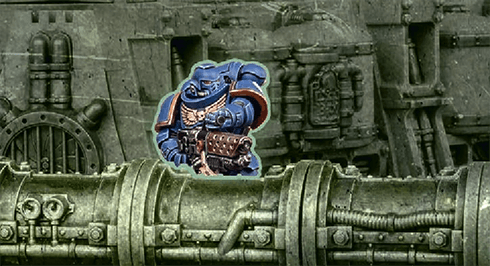
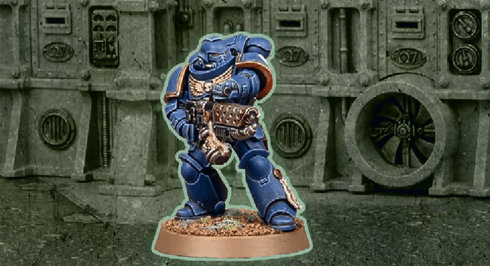
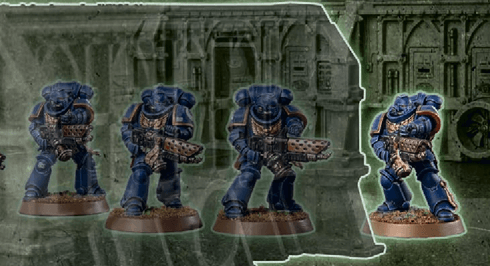
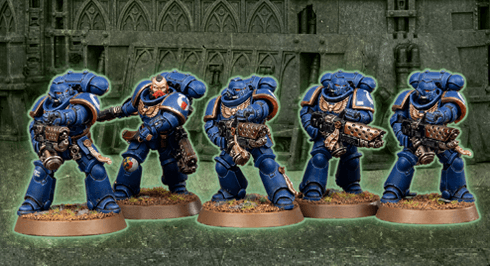
Other models and units can be either visible or fully visible to the observing model, as shown below. Note that terrain applies additional rules to visibility (13.07).
FAQ
| Q: | When checking line of sight from one model to another, is this drawn between the bases of those models, or between any part of them? |
| A: | Line of sight is drawn from any part of the observing model to any part of the model being observed. |
| Q: | When a model overhangs the edge of the battlefield, how does that affect its visibility? |
| A: | That model’s controlling player can draw line of sight from any part of that model that is not overhanging the edge of the battlefield. Their opponent can draw line of sight to any part of that model. |
Some weapons are so rare, or so complex and slow to reload, that they can only be used once.
Each weapon with this ability can only be selected to make attacks with once per battle.If a destroyed model is returned to a unit, all of its [ONE SHOT] weapons that have already been selected to make attacks with during the battle cannot be selected to make attacks with again.
If a new unit is added to an army, all [ONE SHOT] weapons in that unit can be selected to make attacks with once per battle.
Some transports have dedicated platforms or firing ports from which embarked passengers can lay down a withering hail of munitions.
This ability always takes the form Firing Deck X. In your Shooting phase, each time this TRANSPORT is selected to shoot, if one or more units are embarked within it, resolve the following sequence:- Select up to X models embarked within this TRANSPORT (excluding models whose units have already been selected to shoot this phase).
- For each selected model, select one of its ranged weapons (excluding [ONE SHOT] weapons).
- Until this TRANSPORT has resolved all of its attacks, it has all of those selected weapons in addition to its other weapons.
- Until the end of the turn, units embarked within this TRANSPORT are not eligible to shoot.
- Each model in that unit is within 3" of that TRANSPORT.
- That unit was not set up on the battlefield this turn.
- That unit is eligible to embark within that TRANSPORT, as described on that TRANSPORT’s datasheet.
- That TRANSPORT has sufficient remaining transport capacity for each model in that unit.
When a unit embarks, the active player removes that unit from the battlefield and places it to one side – it is now embarked within that TRANSPORT and is not on the battlefield.
- Not on the Battlefield 01.02.04
FAQ
| Q: | Do a unit's abilities continue to function while they are embarked within a TRANSPORT? |
| A: | Yes, within the restrictions specified by the ability itself. Embarked units are Not On The Battlefield (01.02.04), so any ability requiring visibility or measurement to another unit will fail. Example: Azrael is attached to an Intercessor Squad unit and embarked within a TRANSPORT, and that TRANSPORT is making a shooting attack using the Firing Deck ability. While Azrael’s Supreme Grand Master ability is still technically active, it will have no effect, as the requirements of the ability are not met (the ability affects ‘weapons equipped by models’ in Azrael’s unit, and for the purposes of Firing Deck, the TRANSPORT itself is equipped with those weapons instead). |
Some rules refer to units being below starting strength, or at – or below – half-strength. The meaning of these terms varies depending on a unit’s starting strength, as shown below.
|
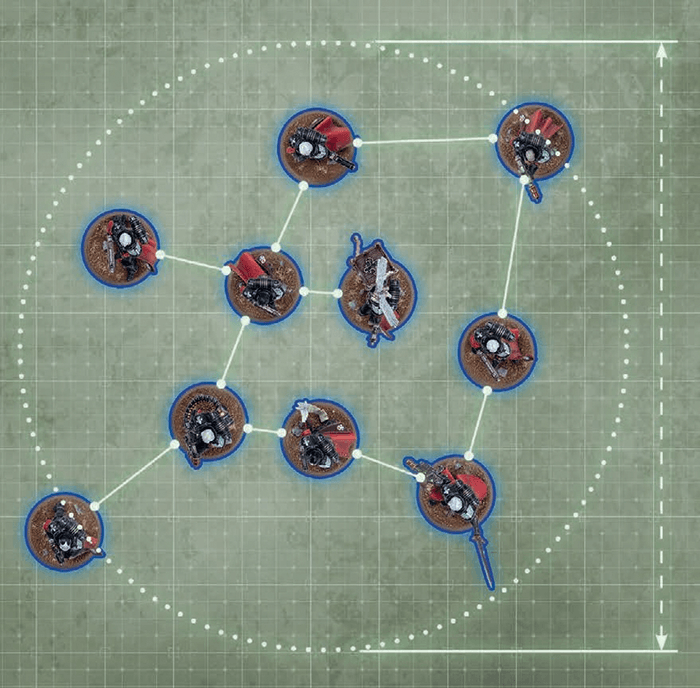
- Within 2" horizontally and 5" vertically of at least one other model in that unit.
- Within 9" horizontally and 5" vertically of every other model in that unit.
REGAINING COHERENCY
In the End of Turn step of each player’s turn, if one or more units on the battlefield are not in coherency, those units’ controlling players must remove models from them, one at a time, until they are in coherency again. Models removed in this way are destroyed, but they do not trigger rules that apply when a model is destroyed.
FAQ
| Q: | Do models destroyed when a unit is out of coherency count for mission objectives? |
| A: | Yes. |
| Q: | When checking coherency for my unit can my unit be in multiple groups? |
| A: | No, it must be in a single contiguous group as per Units and Models (01.02) and What is Coherency in the core rules. |
| Q: | When a move says that a model or unit must move in a way if it is able, can that requirement force the unit to end their move not in coherency? |
| A: | No, when a model or unit is making a move it must follow requirements while ending that move in coherency. |
Mighty heroes fight at the forefront of battle.
Before the battle, in the Muster Armies step, for each leader and support unit in your army, you can select one friendly bodyguard unit that unit can lead. That unit will then lead that bodyguard unit for the battle and form an attached unit with it.Unless otherwise stated, each bodyguard unit can only have one leader unit and one support unit attached to it.
Before the battle, in the Declare Battle Formations step, your units can start embarked within any friendly TRANSPORT model that has sufficient transport capacity remaining for the whole unit.
A friendly unit must be embarked within each friendly DEDICATED TRANSPORT model. At the end of this step, each friendly DEDICATED TRANSPORT model without an embarked unit is destroyed, but they do not trigger rules that are triggered when a model is destroyed.
- If that roll succeeds, that unit does not become battle-shocked.
- If that roll fails, that unit, and each model in it, is battle-shocked.
While a unit is battle-shocked:
- The Objective Control (OC) characteristic of all of its models is modified to ‘-’ (02.02).
- Its controlling player cannot target that unit with stratagems (15).
- It is not eligible to start an action (16), and any action it has started cannot be completed.
- Battlefield Morale 01.07.01
- Battle-shock Test 01.07.02
FAQ
| Q: | If a unit has a rule that allows it to start an action when it is battle-shocked can it also continue doing that action if it becomes battle-shocked after starting an action? |
| A: | Yes |
| Q: | If a unit becomes battle-shocked after starting an action does it stop performing that action? |
| A: | Yes |
Mighty heroes fight at the forefront of battle.
Before the battle, in the Muster Armies step, for each leader and support unit in your army, you can select one friendly bodyguard unit that unit can lead. That unit will then lead that bodyguard unit for the battle and form an attached unit with it.Unless otherwise stated, each bodyguard unit can only have one leader unit and one support unit attached to it.
Specialist combatants may be assigned to front-line squads to bolster their fighting effectiveness.
Before the battle, in the Muster Armies step, for each leader and support unit in your army, you can select one friendly bodyguard unit that unit can lead. That unit will then lead that bodyguard unit for the battle and form an attached unit with it.Unless otherwise stated, each bodyguard unit can only have one leader unit and one support unit attached to it.
- That model has the INFANTRY/BEASTS/SWARM keyword and is within a terrain area that contains one or more light/dense terrain features.
- That model’s unit did not make one or more ranged attacks during this turn or during the previous turn.
Errata
- A unit has all the keywords of all models in that unit. A model only has its own keywords.
- If a rule specifies that it applies to a unit with a keyword, it applies to a unit which includes one or more models with that keyword.
- If a rule specifies that it applies to a model with a keyword, it only applies to a model with that keyword.
- If a rule specifies that it applies to ‘non-KEYWORD’ models/units, it only applies to models/units that do not have that keyword. For example, if a rule applies to non-VEHICLE units, it only applies to units that do not have the VEHICLE keyword.
- Some units can contain models that have different keywords. While this is the case, such a unit is considered to have all of the keywords of all of its models, and so is affected by any rule that applies to units with any of those keywords. Remember that attacks are made against units, not models.
- If a rule only applies to models with a specific keyword, then it instead only applies to models in such a unit that have the correct keyword.
- A rule with a comma-separated list of keywords, or a series of keywords separated by slashes (‘/’), or two keywords separated by the word ‘or’ (e.g. ‘an IMMORTALS, DEATHMARKS or LYCHGUARD unit’) refers to a model/unit that has any one of those keywords.
- A rule with multiple adjacent keywords (e.g. ‘an AELDARI GUARDIANS unit’) only refers to a model/unit that has all of those keywords.
- Some older rules use keywords without specifying model or unit: for example, MONSTER/VEHICLE or TRANSPORT. These rules refer to units with those keywords.
- Singular and plural instances of the same keyword function in the same way.
Some rules are linked to one or more keywords. For example, a rule might say that it applies to INFANTRY units. This means it only applies to units that have the INFANTRY keyword. Singular and plural instances of the same keyword function in the same way.
- Using Keywords & Mixed Keywords in Units 02.05.01
FAQ
| Q: | Do rules that affect a keyword include multi-word keywords that contain that keyword? For example, would rules that affect COMMISSAR units affect a unit that has the COMMISSAR GRAVES keyword? |
| A: | No. |
- Place a well-defined boundary (such as a base or mat) in each location you want to furnish with terrain, then place one or more terrain features wholly within that boundary.
- Place one terrain feature directly on the battlefield.
- Place two or more terrain features directly on the battlefield in such a way that together they define the boundary of an area.
In each case, the area of the battlefield occupied by that boundary or terrain feature is known as a terrain area. A mission’s deployment map may define the location and dimensions of each terrain area. Otherwise, players must agree on this before the battle.
FAQ
| Q: | Are models that are within the boundary of a terrain area, but not on the ground floor of a terrain area (e.g. overhanging parts of FRAME VEHICLES or models on terrain features that are within that terrain area) within that terrain area? |
| A: | Yes |
When rotating a FRAME model as part of a move, if that model does not have a base, turn it any amount around its central axis, while keeping it upright.
FAQ
| Q: | Are models that are within the boundary of a terrain area, but not on the ground floor of a terrain area (e.g. overhanging parts of FRAME VEHICLES or models on terrain features that are within that terrain area) within that terrain area? |
| A: | Yes |
- If a rule instructs you to move a model as close as possible to a unit or model you must end that model’s move in base contact with that unit or model if its move is sufficient to do so without breaking any other restrictions (such as coherency), or as close as you can achieve if its move is not sufficient.
- If a model is already as close as possible to a unit or model when it is instructed to make a move as close as possible towards a unit or model, that model cannot be moved, but still counts as having made the move in question.
- If a rule instructs you to move a model as close as possible to an objective you must end that model’s move within range of an objective if its move is sufficient to do so without breaking any other restrictions (such as coherency), or as close as you can achieve if its move is not sufficient.
- If that model is already within range of an objective it can move up to the maximum distance of that move but must end its move still within range of that objective.
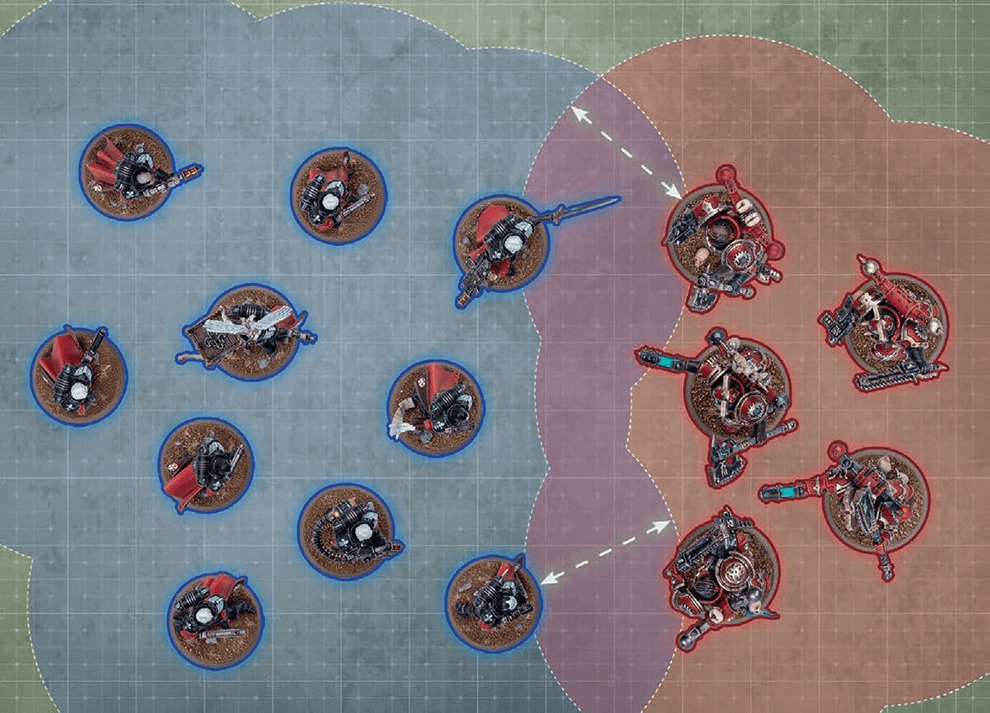
- While a friendly model is within engagement range of one or more enemy models, those models – and the units they belong to – are engaged with each other.
- While a unit contains no engaged models, that unit is unengaged.
FAQ
| Q: | Does my model or unit become engaged while moving through a enemy units engagement range during a move? |
| A: | No |
EFFECT: Your unit moves as described in Moving (03).
AFTER MOVING: Your unit must be unengaged.
Many deadly weapons can inflict fatal injuries on any foe, no matter their resilience.
Each time an attack made with a [LETHAL HITS] weapon results in a critical hit, you can choose for that attack to automatically wound the target.EFFECT: Your unit shoots as described in Making Attacks (04).
WHILE SHOOTING:
- You can only target one visible enemy unit within 24" of your unit (and only if it is an eligible target).
- Each attack only hits on an unmodified hit roll of 6 (irrespective of the attacking weapon’s BS characteristic or any modifiers). Those hits are not critical hits.
- You cannot re-roll hit rolls.
|
FAQ
| Q: | My attack has a rule that means it results in a critical hit on a hit roll of 4+. Does this work when snap shooting? |
| A: | Unless otherwise stated, no: when snap shooting, each attack only hits on a roll of 6. |
| Q: | My attack has a rule that means it results in a critical hit on a hit roll of 4+, and I would otherwise need a 5+ to hit. Does a 4+ hit? |
| A: | Yes, except when snap shooting: when snap shooting, each attack only hits on a roll of 6. |
The most potent weapons strike with such power that they make a mockery of armour and can cleave through several foes.
Each time an attack made with a [DEVASTATING WOUNDS] weapon results in a critical wound, the attack sequence for that attack ends and the target unit suffers a number of mortal wounds equal to the D characteristic of that weapon. These are inflicted after resolving any normal damage inflicted by those attacks.Mortal wounds inflicted by [DEVASTATING WOUNDS] weapons can damage a maximum of one model for each critical wound; any remaining mortal wounds inflicted by that attack are lost.
- If the target unit is an attached unit, use the highest T characteristic amongst bodyguard models in that unit that are on the battlefield.
- Use the highest T characteristic amongst models in that unit that are on the battlefield.
| ||||||||||||||||||||||||||||||
- Multiple Toughness Characteristics 05.02.01
- Create Groups: Divide all models in the target unit into the following groups, as many times as required:
- One group for each CHARACTER model.
- One group for all other models with the same W, Sv and InSv characteristics.
- Allocation Order: Declare the order in which those groups will have attacks allocated to them, applying all of the following:
- If a non-CHARACTER group contains a model that has lost one or more wounds, that group must be first in the allocation order.
- No CHARACTER group can be earlier in the allocation order than a non-CHARACTER group.
- CHARACTER groups containing a model that has lost one or more wounds must be earlier in the allocation order than CHARACTER groups containing no wounded models.
- Make Save Rolls: The opposing player makes one save roll for each attack that wounded the target by rolling one D6.
FAQ
| Q: | When declaring the allocation order of groups in my unit I have more than one non-CHARACTER groups that contain a model with a missing wound, how must I select the order? |
| A: | Those groups can be selected in an order of your choosing but must be in an order that makes them come before any non-CHARACTER groups that do not contain a model with a missing wound. |
| Q: | I have a unit being attacked with weapons that will modify some of their save rolls to be worse then 6 should I make those save rolls? |
| A: | Yes, because other models in your unit may have Sv’s that are better those models you’ve mentioned, this means that enough save rolls could be allocated to the those models that the rest of the results are not greater then the Sv’s of the other models in your unit. |
| Q: | Can I group or allocate a wound to a destroyed model? |
| A: | No. |
Unless otherwise stated, that rule allows you to ignore modifiers to the unit’s rolls and the unit’s profile and weapon characteristics.
When a rule states you can ignore modifiers to a stated roll or characteristic, you can choose to ignore all of those modifiers, or only some of them. For example, you can still choose to apply positive/beneficial modifiers while ignoring negative/detrimental modifiers.
- If a rule allows you to re-roll a dice roll that was made by adding several dice together (e.g. 2D6, 3D6, etc.) then you must re-roll all of those dice again.
- You can never re-roll a dice more than once, and re-rolls happen before modifiers (if any) are applied.
- A re-rolled dice is still considered to be a dice roll and, as such, any rules that can be triggered by a dice roll can also be triggered by a re-rolled dice.
Assassins and other covert agents are difficult to pinpoint in the storm of battle.
Unless part of an attached unit, this unit is not visible to enemy models unless they are within 12" of this unit, and it cannot be targeted by [INDIRECT FIRE] weapons unless the attacking model is within 12" of this unit.If this ability takes the form Lone Operative X", unless part of an attached unit, this unit is not visible to enemy models unless they are within X" of this unit, and it cannot be targeted by [INDIRECT FIRE] weapons unless the attacking model is within X" of this unit.
- If a rule revives, resurrects or returns models to a unit, it does so through destroyed models from that unit.
- This cannot expand a unit beyond its starting strength.
- Unless otherwise stated, such models are added with all wargear and enhancements they started the battle with, and with their full W remaining.
- They must be set up in coherency with models in that unit that started that phase on the battlefield.
- They can be set up engaged with one or more enemy units, but only if those enemy units were already engaged with the unit that model is being returned to.
If a leader or support model in an attached unit is destroyed and subsequently revived, they are still part of that attached unit and they must be returned to it if possible.
When a model revives, resurrects, returns or is added to an embarked unit, if that TRANSPORT has sufficient remaining transport capacity for that model, that model is returned to that unit and is embarked. Otherwise, that model is destroyed, but it does not trigger rules that apply when a model is destroyed.
Random Attacks: If a weapon has a random A characteristic, that characteristic is determined when generating attacks for that weapon at the Resolve Attacks step (04.03). If several weapons with random A characteristics are making identical attacks, generate the attacks for each of those weapons individually, and group them all together.
Random Damage: If a weapon has a random D characteristic, then each time an attack made with it inflicts damage, the controlling player determines that weapon’s characteristic when the opposing player has selected a model in the target unit to allocate that attack to.
When determining a random D characteristic, the dice roll made is called a damage roll.
Where a D characteristic includes an operator (e.g. a ‘+’, as in D6+1), the value after the operator is part of that D characteristic – it is not a modifier.
Other Random Characteristics: For all other characteristics, roll to determine the value on an individual, per-model or per-weapon basis each time that characteristic is required.
EFFECT: No models are moved (either in straight lines or rotated). Units that remain stationary do not trigger any rules that are triggered when a unit starts or ends a move.
EFFECT: Your unit moves as described in Moving (03).
BEFORE MOVING: Make an advance roll by rolling one D6.
AFTER MOVING:
- Your unit must be unengaged.
- Until the end of the turn, unless otherwise stated, your unit is not eligible to declare a charge or start an action.
Weapons powered by unstable and dangerous energy sources pose a substantial risk to the wielder and those that stand beside them.
Each time a unit is selected to shoot or selected to fight, after that unit has resolved all of its attacks, make a number of hazard rolls (06.03) for that unit equal to the number of [HAZARDOUS] weapons you selected in the Select Weapons step.- Select Model: Select one model in that unit by following the first instruction below that applies:

If a non-CHARACTER model in that unit has lost one or more wounds, you must select that model. Otherwise, if that unit contains one or more non-CHARACTER models, you must select one of those models. Otherwise, if one or more CHARACTER models in that unit have lost one or more wounds, you must select one of those models. Otherwise, you must select one CHARACTER model in that unit. - Resolve Damage: The selected model loses 1 wound. If this reduces that model’s remaining wounds to 0, it is destroyed.
MORTAL WOUNDS AND NORMAL DAMAGE
When resolving attack dice, if those attacks inflict a mixture of both mortal wounds and normal damage, resolve all of the normal damage first, then resolve all of the mortal wounds.
- Normal Damage 06.02.01
FAQ
| Q: | I have a rule that triggers when a mortal wound is allocated to a model, when does this happen? |
| A: | When you select a model in the Select Model step of Mortal Wounds (06.02). |
FAQ
| Q: | I failed hazard rolls from [Hazardous] weapons, do those mortal wounds have to be allocated to the models with the [HAZARDOUS] weapons? |
| A: | No, you allocate the mortal wounds to the unit as per Mortal Wounds (06.02). (This represents Bob the guardsmen picking up his fallen squad mates plasma gun or that the twisting power of James the Chaos Sorcerer pulling his followers into the warp.) |
| Q: | If a rule says my unit must make a hazard roll does every model in the unit make a hazard roll? |
| A: | No, the unit would make 1 single hazard roll. |
EFFECT: Your unit moves as described in Moving (03).
BEFORE MOVING: Select fall-back mode:
- Ordered Retreat: If your unit is not battle-shocked, you can select this mode.
- Desperate Escape: Otherwise, you must select this mode. Make a hazard roll for each model in your unit (06.03).
- Desperate Escape: Each model that is moved can be moved through enemy models.
- Your unit must be unengaged.
- Until the end of the turn, unless otherwise stated, your unit is not eligible to shoot, declare a charge or start an action.
- Desperate Escape: If your unit is not battle-shocked, you must make a battle-shock roll for your unit (01.07).
Those possessed of lightning-fast reactions may strike before the opponent can react.
While every model in a unit has this ability, that unit is a Fights First unit.See the Resolve Fights First Combats step in the Fight phase (12.04).
EFFECT: Your unit moves as described in Moving (03).
BEFORE MOVING: Select one or more enemy units that are within 12" of your unit and within the maximum distance of your unit; until the end of this move, each of those enemy units is a charge target.
WHILE MOVING:
- Each model must end its move closer to one or more charge targets.
- Each model that can end its move within 1" of one or more charge targets must do so.
- Each model that can end its move engaged with one or more charge targets must do so.
- Your unit must be engaged with all of the charge targets.
- Your unit cannot be engaged with one or more enemy units that are not charge targets.
- Until the end of the turn, each model in your unit has the Fights First ability (24.13).
EFFECT: Your unit is set up as described in Set Up (03.02).
BEFORE MOVING: Your unit is set up as described in Set Up (03.02).
WHILE MOVING: Set up your unit wholly within the set-up distance of one or more battlefield edges and more than 8" horizontally from all enemy units.
- Before the Third Battle Round: While doing so, no models can be set up within your opponent’s deployment zone.
If a persisting effect applies to a unit when you place it in strategic reserves or when it embarks within a TRANSPORT, make a note of that effect and its duration; if that unit is set up on the battlefield again, any persisting effects continue to apply to that unit for their full duration.
If you have a rule that specifies when it is triggered (e.g. ‘In the Shooting phase’) and it does not specify how long it is active for, it is only active for the duration of that specified period (e.g. until the end of that Shooting phase). After that period, that effect is no longer applicable/active.
If a rule or effect is given to a unit and it does not specify how long it is active for, it is only active for the phase in which it was given.
- Rapid/Tactical Disembark: 3"
- Combat Disembark: 6"
- Embarked within a TRANSPORT model that is on the battlefield.
- Did not embark within that TRANSPORT this phase.
- That TRANSPORT has not made an advance or fall-back move this phase.
BEFORE MOVING: Select disembark mode:
- Rapid Disembark:If that TRANSPORT made a normal or ingress move this phase, you must select this mode.
- Tactical Disembark:Otherwise, If that TRANSPORT remained stationary or has not yet been selected to move this phase, and if you can set up your unit as described below, you must select this mode.
- Combat Disembark:Otherwise, you must select this mode. Make a hazard roll for each model in your unit.
- Rapid Disembark:If that TRANSPORT made an ingress move this turn, each model must follow the same rules that TRANSPORT had to follow while resolving that move.
- Combat Disembark:Each model can be set up engaged with one or more enemy units that TRANSPORT is engaged with.
- Rapid Disembark:Until the end of the turn, your unit is not eligible to declare a charge.
- Tactical Disembark:Select your unit to make a normal or advance move.
- Combat Disembark:Your unit is battle-shocked and, until the end of the turn, it is not eligible to declare a charge.
If a TRANSPORT model is destroyed, before removing it from the battlefield, the active player must make an emergency disembark move (see below) with each unit embarked within it.
- Persisting Rules Effects 01.02.02
- Hazard Rolls 06.03
- Rapid Disembark And Limitations 18.04.01
- Rapid/Tactical Disembark: 3"
- Combat Disembark: 6"
- Embarked within a TRANSPORT model that is on the battlefield.
- Did not embark within that TRANSPORT this phase.
- That TRANSPORT has not made an advance or fall-back move this phase.
BEFORE MOVING: Select disembark mode:
- Rapid Disembark:If that TRANSPORT made a normal or ingress move this phase, you must select this mode.
- Tactical Disembark:Otherwise, If that TRANSPORT remained stationary or has not yet been selected to move this phase, and if you can set up your unit as described below, you must select this mode.
- Combat Disembark:Otherwise, you must select this mode. Make a hazard roll for each model in your unit.
- Rapid Disembark:If that TRANSPORT made an ingress move this turn, each model must follow the same rules that TRANSPORT had to follow while resolving that move.
- Combat Disembark:Each model can be set up engaged with one or more enemy units that TRANSPORT is engaged with.
- Rapid Disembark:Until the end of the turn, your unit is not eligible to declare a charge.
- Tactical Disembark:Select your unit to make a normal or advance move.
- Combat Disembark:Your unit is battle-shocked and, until the end of the turn, it is not eligible to declare a charge.
EFFECT: Your unit is set up as described in Set Up (03.02).
BEFORE MOVING: Make a hazard roll for each model in your unit (06.03).
WHILE MOVING: Set up each model in your unit: (1) Wholly within the set-up distance of that TRANSPORT, and as close as possible to that TRANSPORT. OR: (2) If the above is not possible while remaining unengaged, set up that model wholly within the set-up distance of that TRANSPORT, as close as possible to that TRANSPORT, and engaged. Each model that still cannot be set up is destroyed.
AFTER MOVING: Your unit is battle-shocked and, until the end of the turn, it is not eligible to declare a charge.
- Embarked within a TRANSPORT on the battlefield
- Did not embark within that TRANSPORT this phase
- That TRANSPORT has not made an advance/fall-back move this phase
WHILE MOVING: Set up each model wholly within the set-up distance of that TRANSPORT.
- Embarked within a TRANSPORT on the battlefield
- Did not embark within that TRANSPORT this phase
WHILE MOVING: Set up each model wholly within the set-up distance of that TRANSPORT.
AFTER MOVING: Your unit is not eligible to declare a charge until the end of the turn.
FAQ
| Q: | If a unit makes any disembark move in a turn (i.e. Disembark move, Emergency Disembark move etc.) has it disembarked that turn? |
| A: | Yes. |
Many armies employ reconnaissance units who can sit concealed, waiting for the right moment to strike.
During deployment, if every model in a unit has this ability, it can be set up anywhere on the battlefield that is more than 8" horizontally from your opponent’s deployment zone and all enemy units.High-explosive rounds can fell several warriors in a single blast, but firing them too close to comrades is unwise.
Each time you gather attack dice for a [BLAST] weapon, add one additional attack dice for every five models that were in the target unit in the Select Targets step (rounding down).If this ability takes the form [BLAST X], each time you gather attack dice for such a weapon, add X additional attack dice for every five models that were in the target unit in the Select Targets step (rounding down) instead.
- Engaged and did not make an advance move this turn.
- Has one or more [CLOSE-QUARTERS] weapons or is a MONSTER/VEHICLE unit.
WHILE SHOOTING: Models in your unit can target enemy units your unit is engaged with.
- MONSTER/VEHICLE Models: Each time a MONSTER/VEHICLE model in your unit makes an attack:
- Unless that attack is made with a [CLOSE-QUARTERS] weapon and targets a unit your unit is engaged with, subtract 1 from the hit roll.
- If that attack is made with a [BLAST] weapon, it still cannot target a unit your unit is engaged with.
- Non-MONSTER/Non-VEHICLE Models: You can only select [CLOSE-QUARTERS] weapons to make attacks with and you can only select enemy units that are engaged with your unit as targets.
Weapons designed for close-quarters fighting can be wielded effectively even in the press of melee combat.
Units containing one or more models with a [CLOSE-QUARTERS] weapon can shoot using close-quarters shooting (10.06).When using another shooting type, for each model in that unit (excluding MONSTER/VEHICLE models), you can only select one of the following to make attacks with:
- One or more of its [CLOSE-QUARTERS] weapons.
- One or more of its other ranged weapons.
Weapons powered by unstable and dangerous energy sources pose a substantial risk to the wielder and those that stand beside them.
Each time a unit is selected to shoot or selected to fight, after that unit has resolved all of its attacks, make a number of hazard rolls (06.03) for that unit equal to the number of [HAZARDOUS] weapons you selected in the Select Weapons step.Those models will stay on the battlefield until their unit is selected to attack and has attacked, or until the end of the phase (whichever comes first). Any rules triggered by those models being destroyed are resolved, and then those destroyed models are removed.
If a rule instructs a destroyed model to fight immediately after the attacking unit, instead that model is not removed from the battlefield until that model’s unit has fought, or until the end of the phase (whichever comes first). This allows the models in the unit to fight all at once, and stratagems that target that unit will also affect that destroyed model.
EFFECT: Your unit moves as described in Moving (03).
BEFORE MOVING: Select consolidation mode:
- Ongoing Consolidation:If your unit is engaged, you must select this mode and select every enemy unit it is engaged with.
- Engaging Consolidation:Otherwise, if your unit is within 3" of one or more enemy units, you must select this mode and select one or more of those enemy units.
- Objective Consolidation:Otherwise, if your unit is within 3" of one or more objectives, you must select this mode and select one of those objectives.
- Ongoing Consolidation:Models in base-contact with one or more enemy models cannot be moved. Each model that is moved must end its move closer to the closest selected enemy unit, and engaged with it if possible.
- Engaging Consolidation:Each model that is moved must end its move closer to the closest selected enemy unit, and engaged with it if possible.
- Objective Consolidation:Each model that is moved must end its move within range of the selected objective if possible, or closer to it if not.
- Ongoing Consolidation:Each model that started this move engaged with an enemy unit must still be engaged with that enemy unit. If one or more enemy units engaged with your unit have not been selected to fight this phase, your opponent must select each of those units, one at a time; when each is selected, it becomes eligible to fight and is selected to fight (12.04).
- Engaging Consolidation:Your unit must be engaged with all of the selected enemy units. If one or more enemy units engaged with your unit have not been selected to fight this phase, your opponent must select each of those units, one at a time; when each is selected, it becomes eligible to fight and is selected to fight (12.04).
- Objective Consolidation:Your unit must be unengaged and within range of the selected objective.
EFFECT: Your unit can make one additional pile-in move, then fights as described in Making Attacks (04).
- It is engaged.
- It made a charge move this turn.
- It was selected to make an overrun fight this phase (12.06).
BEFORE MOVING: Select pile-in targets:
- If your unit is engaged, select every enemy unit it is engaged with.
- Otherwise, select one or more enemy units within 5" of your unit.
- Models in base-contact with one or more enemy models cannot be moved.
- Each model that is moved must end its move closer to the closest pile-in target, and engaged with it if possible.
- Your unit must be engaged.
- Each model that started this move engaged with an enemy unit must still be engaged with that enemy unit.
The hardiest warriors refuse to be laid low, even by wounds that should by all rights prove lethal.
This ability always takes the form Feel No Pain X+. Each time a model with this ability would lose a wound, roll one D6: on an X+, that wound is not lost.- Select Model: Select one model in the current allocation group (see below); this must be a model that has lost one or more wounds if possible.
- Check Save Roll: For each result, check if that attack inflicts damage or fails by matching the first condition below that applies:
Unmodified INFLICTS DAMAGE Invulnerable Save: The models in the current allocation group have an InSv characteristic, and the result is equal to or greater than that characteristic. FAILS Save and AP: After modifying the result by the attacking weapon’s AP characteristic, it is equal to or greater than the Sv characteristic of models in the current allocation group.
Example: An AP characteristic of -1 would modify a save roll of 3 to a 2. For models with a Sv characteristic of 2+ or better, that attack would fail.FAILS Any other result INFLICTS DAMAGE - Resolve Damage: If that attack inflicts damage, the selected model loses a number of wounds equal to that attack’s D characteristic. If this reduces that model’s remaining wounds to 0 or fewer, it is destroyed.
FAQ
| Q: | Fight On Death (05.04.05) requires models awaiting such an ability to stay on the battlefield until their unit has attacked (or until the end of the phase). How do these models function while this is the case? |
| A: | Models awaiting a Fight On Death ability are still present on the battlefield for all rules purposes. This includes (but is not limited to) the following regarding such models:
|
| Q: | In what step during the attack sequence do I roll for Feel No Pain? |
| A: | In the Resolve Damage step of the Inflict Damage step (05.04). |
EFFECT: Your unit shoots as described in Making Attacks (04).
WHILE SHOOTING:
- You can only target one visible enemy unit within 24" of your unit (and only if it is an eligible target).
- Each attack only hits on an unmodified hit roll of 6 (irrespective of the attacking weapon’s BS characteristic or any modifiers). Those hits are not critical hits.
- You cannot re-roll hit rolls.
TARGET: One friendly unengaged unit (excluding TITANIC units).
EFFECT: Your unit shoots using snap shooting.
Examples: Buildings, ruins, armoured containers, woods.
EFFECT: Your unit is set up as described in Set Up (03.02).
BEFORE MOVING: Make a hazard roll for each model in your unit (06.03).
WHILE MOVING: Set up each model in your unit: (1) Wholly within the set-up distance of that TRANSPORT, and as close as possible to that TRANSPORT. OR: (2) If the above is not possible while remaining unengaged, set up that model wholly within the set-up distance of that TRANSPORT, as close as possible to that TRANSPORT, and engaged. Each model that still cannot be set up is destroyed.
AFTER MOVING: Your unit is battle-shocked and, until the end of the turn, it is not eligible to declare a charge.
From detonating ammo stores to corrosive innards or frenzied death throes, some targets are deadly even in defeat.
This ability always takes the form Deadly Demise X. Each time a model with this ability is destroyed, after the units embarked within it (if any) have made their emergency disembark moves, roll one D6. On a 6, that model suffers a deadly demise; each unit within 6" of that model suffers a number of mortal wounds denoted by X (if this is a random number, roll separately for each unit within 6").Some warriors ride to battle atop trusty mounts that gore and trample nearby foes. Others wield combat weapons that deliver a frenzy of additional blows.
Each time a unit containing one or more models with an [EXTRA ATTACKS] weapon fights, those models will make attacks with those weapons in addition to any others. In the Select Weapons step (04.01), for each of those models, you must select:- All of that model’s [EXTRA ATTACKS] weapons.
- One of that model’s other melee weapons, if possible.
Precision attacks can pick high-value targets out in a crowd.
While resolving attacks made with one or more [PRECISION] weapons, at the start of the Allocation Order step (05.03), if the target unit contains one or more CHARACTER models visible to one or more of the attacking models, the active player can select one allocation group that contains one of those visible CHARACTER models. If they do, until those attacks are resolved, or until that CHARACTER group is destroyed (whichever happens first), that CHARACTER group is the current allocation group.Torrent weapons project clouds of fire, gas or other lethal substances that few foes can hope to evade.
Each time an attack is made with a [TORRENT] weapon, that attack automatically hits the target.- That model has the INFANTRY/BEASTS/SWARM keyword and is within a terrain area.
- That model is not fully visible to the attacking model due to one or more intervening terrain features and/or one or more intervening obscuring terrain areas (see below).
Each time a ranged attack targets a unit that has the benefit of cover against it, worsen the BS characteristic of that attack by 1.
FAQ
| Q: | When my unit shoots at another unit, how does it work if some models in the target unit are fully visible to some models in my unit, while others are within a terrain area/not fully visible? |
| A: | For each attacking model in your unit, determine whether the target unit has the benefit of cover, as described in Terrain and Visibility. In this scenario, the target unit will likely have the benefit of cover against some of the attacking models, but not all. This means that, in an example unit where all attacking models are using the same weapon, when you get to the Resolve Attacks step of the Attack Sequence, you will collect dice for attacks made by models against which the target unit has the benefit of cover separately from the dice for attacks made by models against which the target unit does not have the benefit of cover. |
- Unengaged and did not make an advance move this turn.
- Has one or more [INDIRECT FIRE] weapons.
WHILE SHOOTING:
- [INDIRECT FIRE] weapons in your unit can target units that are not visible to the attacking model.
- Each time an [INDIRECT FIRE] weapon makes an attack:
- The target has the benefit of cover against that attack (13.08).
- You cannot re-roll hit rolls.
- An unmodified hit roll of 1-5 fails, unless your unit remained stationary this turn and the target is visible to one or more friendly units, in which case an unmodified hit roll of 1-3 fails instead.
Indirect fire weapons launch munitions over or around intervening obstacles – nowhere is safe from their fury.
Units containing one or more models with an [INDIRECT FIRE] weapon can shoot using indirect shooting (10.07).- Embarked within a TRANSPORT on the battlefield
- Did not embark within that TRANSPORT this phase
- That TRANSPORT has not made an advance/fall-back move this phase
WHILE MOVING: Set up each model wholly within the set-up distance of that TRANSPORT.
- Embarked within a TRANSPORT on the battlefield
- Did not embark within that TRANSPORT this phase
WHILE MOVING: Set up each model wholly within the set-up distance of that TRANSPORT.
AFTER MOVING: Your unit is not eligible to declare a charge until the end of the turn.